Brandon Thomas and ArtCraft: The Person, the Apps and the Evidence
Who is Brandon Thomas, what is ArtCraft building, and how do its twelve open-source Crafting Apps relate to the AI studio? A primary-source project profile.
Brandon Thomas publicly identifies himself as the founder of ArtCraft, Storyteller.ai and FakeYou. ArtCraft now encompasses an AI image/video studio and a catalog of twelve separate Crafting Apps. That is the useful starting point for understanding the project, rather than compressing it into “one engineer made seven complete Adobe replacements.”
Sources checked October 12, 2026. Biographical statements are limited to the primary sources linked here. This article is a project profile, not an interview or a hands-on review of every application.
Who is Brandon Thomas?
His public GitHub profile, echelon, gives the name Brandon Thomas, lists ArtCraft as his company and describes him as an engineer and filmmaker working with Rust. The biography names ArtCraft, Storyteller.ai and FakeYou as founder roles and mentions previous experience with high-availability services.
The reviewed profile does not establish a complete employment timeline. We therefore do not repeat the “former Square engineer” or exact CEO-title claims as verified facts here. A careful profile can still be useful without filling gaps from repeated social-media summaries. The ArtCraft official press kit also identifies Brandon as a press contact, linking the public person to the active project.
ArtCraft has two related product surfaces
The storytold/artcraft README calls the studio an “IDE for artists” and describes interactive AI image and video creation. Its emphasis is control: composing in 2D, staging in 3D, positioning characters and cameras, and then using generation models within that workflow.
The Crafting Apps catalog is a separate collection of native, open-source Rust tools for familiar creative and office jobs. WordCraft edits documents; GridCraft handles spreadsheets; PdfCraft works with PDFs. Understanding that division prevents two mistakes: expecting office tools inside the studio installer, or assuming every Crafting App is primarily an AI generation interface.
The seven Adobe-oriented applications
| Crafting App | Comparable workflow category | What to evaluate for your own work |
|---|---|---|
| PhotoCraft | Photoshop-style image editing | Layers, masks, text and file exchange. |
| VectorCraft | Illustrator-style vector illustration | Paths, typography and export fidelity. |
| FilmCraft | Premiere-style video editing | Timeline operations, media support and delivery. |
| LightCraft | Lightroom-style photography | Raw processing, library organization and output. |
| PdfCraft | Acrobat-style PDF work | Page operations, forms, signatures and conversion limits. |
| EffectCraft | After Effects-style motion graphics | Animation, compositing and export behavior. |
| DesignCraft | InDesign-style publishing | Text flow, fonts, layout and production output. |
These are workflow comparisons, not endorsements, affiliations or independently verified parity claims. An alternative can cover a useful subset while still missing a professional's decisive feature. Always read the individual project's roadmap before interpreting its category label.
Why the current number is twelve
The catalog checked for this article adds WordCraft, SoundCraft, DeckCraft, CADCraft and GridCraft to those seven. The official press kit likewise presents twelve app icons and product screenshots. “Seven Adobe alternatives” can describe a subset, but no longer describes the full official collection.
The expansion matters because the audience now includes writers, spreadsheet users and presentation makers, alongside visual artists. It also makes suite-wide maturity claims less helpful. A release or feature improvement in one repository does not automatically apply to the other eleven apps.
What the architecture says about the project
The reviewed WordCraft and GridCraft READMEs describe engine-first Rust workspaces: core document or workbook behavior is separated from the UI, and commands can be driven from the interface, command line or MCP. That is a concrete, inspectable design choice. It can make repeatable automation possible without requiring a script to click every toolbar button.
It does not tell us what fraction of the implementation was generated with AI, which model authored any given change, or how much human review occurred. The presence of Claude integration instructions is evidence of a supported agent interface, not a complete development history. Without a directly sourced account, we do not assign an “AI-written percentage” or claim the whole suite was built by one person in a fixed number of days.
What problem is ArtCraft trying to solve?
The studio's README says artists need control over composition, character identity and camera placement. Its tools aim to let users construct the scene before generation instead of relying entirely on prose prompts. The Crafting Apps add familiar editing workflows with accessible source code and standalone applications.
Those are documented product goals. They are more defensible than inventing a personal motive for Thomas, a commercial grievance or a private founding story. Users can assess the goal against their needs: precise AI scene work, local file editing, openness for customization, or automation of repetitive production steps.
How to assess the project beyond the founder story
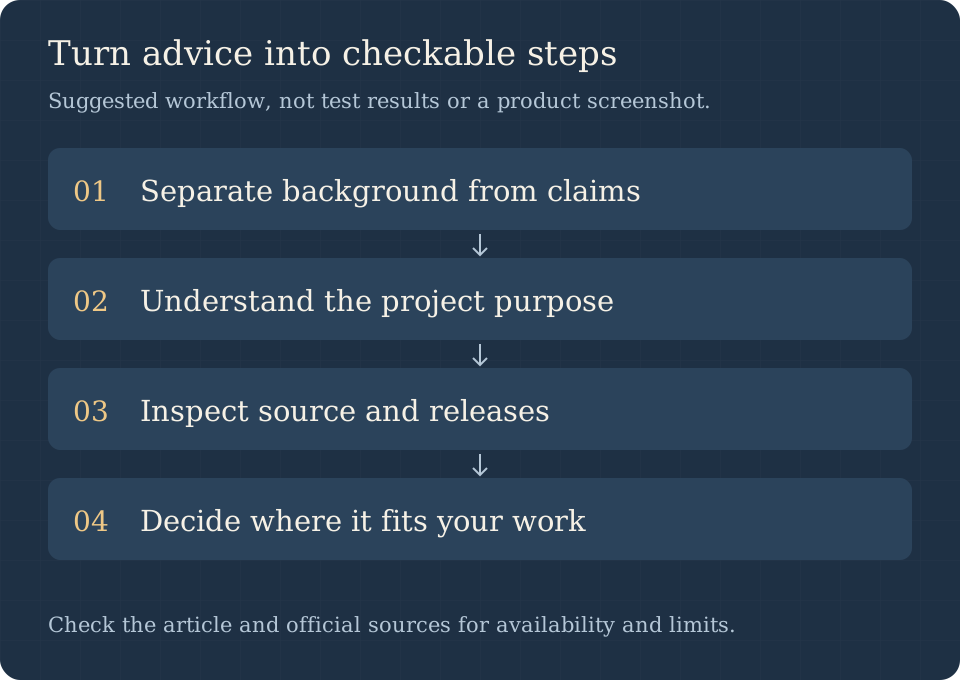
- Verify identity through the public profile and official project links.
- Choose the specific application that handles your task.
- Read its roadmap, license, release notes and documented limitations.
- Build a small example from your real workflow and preserve the original.
- Compare the saved result in the destination application before relying on it.
This turns an interesting founder story into a practical adoption decision. Public code makes inspection possible, but it does not replace testing. WordCraft, GridCraft and PdfCraft all explicitly describe alpha-stage limitations in the documentation reviewed here. It is possible to appreciate the ambition while keeping a production workflow on established tools until a particular file family passes acceptance.
Free software and long-term adoption
The reviewed repositories use MIT OR Apache-2.0 for project code, with separate notices for third-party assets and branding. This supports inspection and modification under the license. It does not promise indefinite support, identical release quality across platforms or free usage of external AI models.
For a team, evaluate the cost of migration, training, file validation and a fallback editor alongside any saved subscription. Start with one reversible task. If that works, contribute a reproducible issue or improvement rather than assuming a large repository or a compelling biography guarantees maintenance for your specific use case.
Frequently asked questions
Is Brandon Thomas connected to ArtCraft?
Yes. His public GitHub biography lists ArtCraft among his founder roles, and the official press kit names Brandon as a project contact.
Did he single-handedly build seven finished Adobe replacements?
That exact statement is not established by the primary sources reviewed. The current catalog has twelve apps, and the repositories acknowledge contributors and varying maturity.
Is ArtCraft written in Rust?
The Crafting Apps catalog describes the apps as Rust-based. This does not mean every part of the broader studio, website and infrastructure uses only one language.
Where should I download the apps?
Use the official catalog and app-specific repositories. Our GitHub and download guide maps those choices.
Primary sources and focused guides
Read Thomas's GitHub profile, the studio README, official app catalog and press kit. For adoption details, continue with WordCraft or GridCraft.