ArtCraft GitHub and Downloads: Find the Right Creative App
A verified map of ArtCraft repositories, twelve Crafting Apps, official downloads, licenses and practical installation checks, with the AI studio clearly distinguished.
Start at getartcraft.com/apps for the Crafting Apps, or storytold/artcraft for the AI image and video studio. The distinction saves a common wrong download: ArtCraft is both a project family and the name of a specific studio application. Individual document, spreadsheet and creative tools have their own repositories and releases.
Sources checked October 12, 2026. We verified official pages, repository documentation and selected release metadata. We did not install every application or certify feature parity with Adobe or Microsoft products.
Why “seven free Adobe alternatives” is incomplete
The current official catalog says twelve apps. Seven names correspond to familiar Adobe-oriented workflows: PhotoCraft, VectorCraft, FilmCraft, LightCraft, PdfCraft, EffectCraft and DesignCraft. The expanded list also includes WordCraft, SoundCraft, DeckCraft, CADCraft and GridCraft.
That does not mean twelve finished replacements of equal maturity. Each app has a separate roadmap, issue history and release stream. A useful directory maps the task to the right project; it does not convert a product positioning statement into a tested replacement guarantee.
Repository map: choose by the file you need to work on
| Application | Intended workflow | Official repository |
|---|---|---|
| PhotoCraft | Layered image editing | storytold/photocraft |
| VectorCraft | Vector illustration | storytold/vectorcraft |
| FilmCraft | Video editing | storytold/filmcraft |
| LightCraft | Photo library and raw development | storytold/lightcraft |
| PdfCraft | PDF viewing, organizing and protection | storytold/pdfcraft |
| EffectCraft | Motion graphics and visual effects | storytold/effectcraft |
| DesignCraft | Page layout and publishing | storytold/designcraft |
| WordCraft | Word processing | storytold/wordcraft |
| SoundCraft | Audio recording, editing and mixing | storytold/soundcraft |
| DeckCraft | Presentations | storytold/deckcraft |
| CADCraft | Computer-aided drafting | storytold/cadcraft |
| GridCraft | Spreadsheets | storytold/gridcraft |
The table describes intended categories, not cross-application compatibility results. For example, a PDF tool and a page-layout tool can both participate in publishing but solve different stages of the job.
Where Brandon Thomas fits
The public echelon GitHub profile identifies Brandon Thomas and lists him as founder of ArtCraft, Storyteller.ai and FakeYou. That helps explain searches combining his name with the project. The product repositories live under the storytold organization, so searching only his personal repository list can miss the relevant download.
For a source-grounded account of the person and project, see Brandon Thomas and ArtCraft. A founder's profile is useful identity evidence; it is not a software quality benchmark or evidence that one person authored every change.
Downloading from GitHub: releases versus source archives
A repository's green Code button usually offers source checkout or an archive. Users looking for an installer should use the app's Releases page, inspect the version notes and choose an asset for their operating system and processor. Do not mistake GitHub's automatically generated source ZIP for a ready-to-run desktop app.
For reference, the release metadata checked here showed WordCraft v0.5.0, GridCraft v0.5.0 and PdfCraft v0.6.0. Check the current release instead of assuming these remain latest. A GitHub release marked non-prerelease can still belong to an app whose own roadmap calls it alpha.
A practical installation path
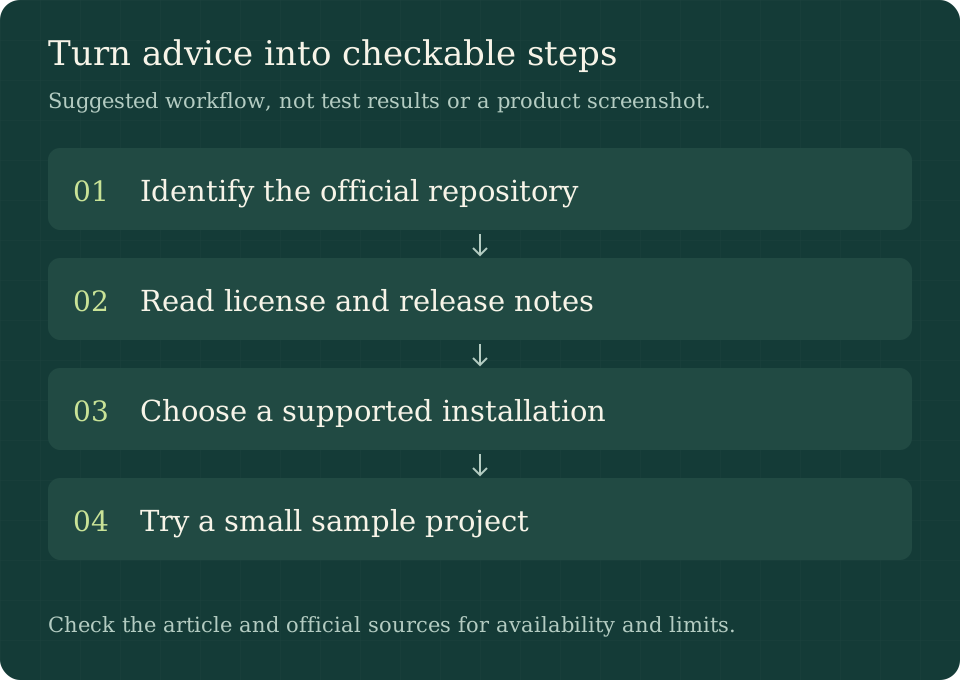
- Pick the actual task: DOCX editing, spreadsheet calculation, PDF organization or creative media work.
- Follow the corresponding app from the official catalog to its repository.
- Read the README, license, roadmap and latest release notes before choosing a package.
- Match operating system and architecture, then review the supplied checksum and signing information.
- Install or follow the current source-build instructions, then open an included sample.
- Test a duplicate of your own file, export it and reopen it in the receiving application.
Checksums help establish that a download matches the published bytes. They do not independently certify that a publisher or program is trustworthy. If a package is missing for your platform, use the documented build path or wait for a supported release rather than selecting an unrelated binary with a similar filename.
Launcher, community Toolbox and individual packages
The official catalog currently recommends an ArtCraft Launcher to install and update the apps. Follow that catalog's current link for its recommended manager. Individual app pages remain useful when you need one application or a particular release.
There is also a separate smyrgeorge/artcraft-toolbox repository. Its README describes a suite manager and labels it pre-alpha with unsigned releases at the time checked. Do not silently present a third-party repository as the official launcher, or assume its packaging guarantees are inherited from the apps it manages. The publisher and release notes belong to each individual download.
Open source, free apps and AI service costs
The ArtCraft studio README and reviewed app repositories use MIT OR Apache-2.0 for code, with notices for third-party material and branding. Open source permits inspecting and modifying code under its license; it does not make every font, trademark or external service unrestricted.
The Crafting Apps catalog calls the apps free to use. The separate AI studio integrates model providers, so “open-source desktop client” should not be rewritten as “unlimited free AI generation.” Check the service and provider terms for the actual workflow. Likewise, running an editor locally does not prove that an optional cloud-connected agent keeps data local.
How to evaluate an Adobe alternative fairly
Choose a small deliverable you really create, define the required input and output formats, and list the steps that cannot fail. For PDF work, inspect page order and text after export. For design work, check fonts, color requirements and editable objects in the receiving environment. A polished demo can establish that a workflow exists without proving it handles your production files.
Read the known gaps before investing in templates or training. Our PdfCraft guide and WordCraft guide show how to turn this into a narrow, reproducible acceptance exercise.
Frequently asked questions
What is the official ArtCraft GitHub repository?
The AI studio is storytold/artcraft. The Crafting Apps each have their own repositories under storytold, as listed above.
Does one ArtCraft download include all twelve apps?
Do not assume that. The studio is separate; the official catalog links a launcher and individual app downloads. Read the selected package's description.
Are there seven or twelve Crafting Apps?
The official catalog listed twelve on the date checked. Seven describes only the Adobe-oriented subset in this guide, not the current whole catalog.
Is the community Toolbox the official launcher?
They should not be conflated. Follow the official catalog for its recommended launcher; evaluate the independently owned Toolbox repository on its own documentation.
Primary sources
Start with the official catalog, studio repository, Brandon Thomas's profile and each app's linked release page. Use the community Toolbox README only for statements about that separate project.