ArtCraft WordCraft: DOCX Support, Downloads and Word Compatibility
A source-checked guide to ArtCraft WordCraft, its alpha-stage DOCX support, official downloads and a practical Word round-trip compatibility checklist.
WordCraft is ArtCraft's open-source word processor, with a familiar Word-style ribbon and DOCX reading and writing. It is also explicitly alpha software. Those two facts belong together: a substantial feature list makes it worth evaluating, but does not establish that your contracts, dissertations or publishing templates will survive unchanged.
Sources checked October 12, 2026. This is a documentation-based assessment, not a hands-on compatibility benchmark. The workflow below is a test you can perform; we did not execute it.
Which WordCraft are you looking for?
The relevant repository is storytold/wordcraft, linked from ArtCraft's WordCraft page. Its README describes a clean-room implementation built in Rust, with a native egui interface and a browser build through WebAssembly. It is a document editor, not Google's experimental storytelling assistant. If you want AI-assisted fiction, see our Wordcraft AI guide.
ArtCraft's wider collection also contains GridCraft for spreadsheets and DeckCraft for presentations. The current app catalog lists twelve Crafting Apps. Downloading the separate ArtCraft AI image and video studio does not mean you have installed WordCraft.
What the project says works today
The README's feature table lists styles, tables, page sections, headers and footers, comments, tracked changes, references and CSV-based mail merge. It also documents PDF export and import/export for several text formats. The project says spelling and grammar work offline; that statement should not be generalized to every external agent or service a user might connect.
For everyday writing, the meaningful combination is styles plus navigation plus review. Headings make a long document manageable, comments preserve editorial context, and tracked changes support a review cycle. A ribbon screenshot alone cannot tell you how these features behave after another editor saves the file.
WordCraft versus Microsoft Word: what to compare
| Requirement | What WordCraft documents | What your evaluation must establish |
|---|---|---|
| Editable DOCX exchange | DOCX read/write | Formatting and content survive reopening in your version of Word. |
| Collaborative review | Comments and tracked changes | Authors, insertions, deletions and acceptance decisions remain correct. |
| Long documents | Sections, references, footnotes and tables of contents | Pagination and updated fields meet your submission rules. |
| Figures and complex objects | Pictures, shapes and text wrapping | Charts, SmartArt and anchored objects survive a round trip. |
| Final distribution | PDF export with text, links and bookmarks | Fonts, line breaks and links render correctly in a separate viewer. |
| Licensing | MIT OR Apache-2.0 for project code | Your distribution respects third-party asset and trademark notices. |
This is a requirements comparison, not a scorecard. Microsoft Word behavior varies by version and platform, so record the receiving environment rather than treating “opens in Word” as one universal result.
The compatibility gaps that matter most
WordCraft's roadmap section calls the app alpha and distinguishes ribbon-command coverage from replacement readiness. Its maintainers estimate roughly 60% readiness for replacing all of Word, with lower readiness for a typical professional's weekly work. These are the team's estimates, not independent percentages of documents that work.
The same section names real-world DOCX testing, chart and SmartArt preservation, pagination, stability and native printing as beta work. Those gaps are directly relevant to client deliverables. Keep an established editor available if a document relies on carefully positioned objects, complex fields or exact page counts. File-format support describes a pathway; fidelity describes how much meaning and layout survive it.
Download and installation: follow the app-specific release
The release checked for this article was v0.5.0. Use the latest release page for current packages and notes, because an old article should not pin your workstation to an obsolete build.
- Open the official WordCraft product page and follow its GitHub link.
- Choose the package for your operating system and processor architecture. The README documents Windows installers/portable builds, a macOS universal package, and several Linux formats.
- Read the release notes, platform requirements and checksum information before installation.
- Start with the built-in sample and save a disposable copy before importing work.
- Record the version and operating system alongside any issue you discover.
Source builds and a WebAssembly build are documented in the repository. They are developer options, not proof that an arbitrary third-party “WordCraft online” page is official. Use the repository's current build instructions rather than copying an old dependency list.
A practical DOCX round-trip test
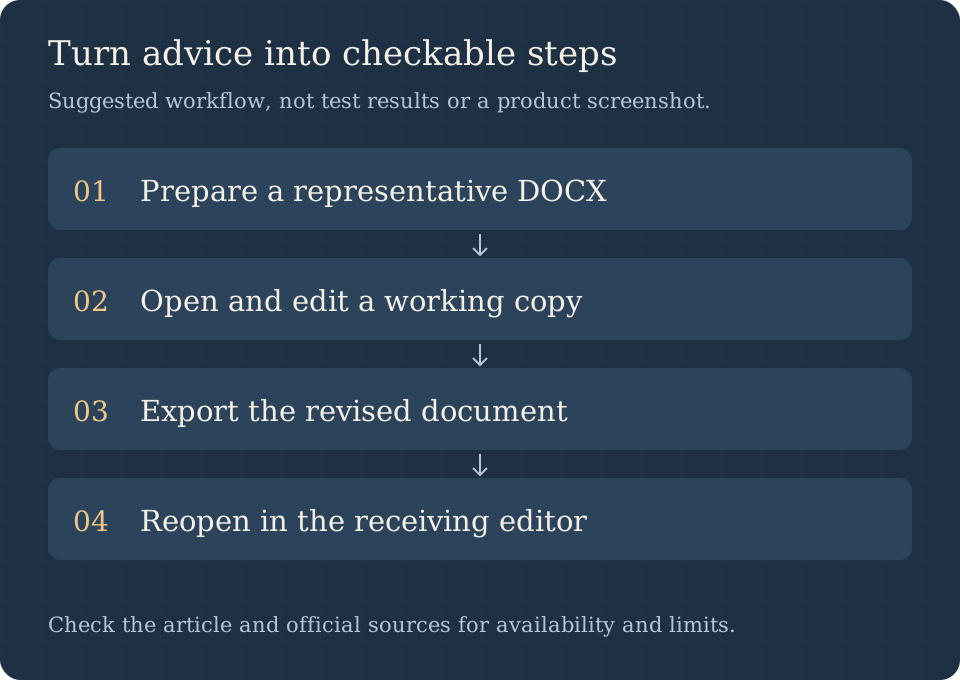
Create a small sample in the editor your collaborators use. Include a heading, numbered list, table crossing a page boundary, image, footnote, header, page number, comment and tracked edit. Save a reference PDF before opening the DOCX in WordCraft.
Change a sentence, add a table row, insert a comment and save under a new filename. Reopen that new file in the receiving editor. Compare content first, review history second and page layout third. Update the table of contents and any fields; check that images are still editable and that accepting a tracked change produces the intended sentence.
Finally export a PDF and compare it with your reference. Log each discrepancy with the smallest reproducible sample. A result such as “footnote numbering changed after saving this two-page sample in version X” is actionable; “Word compatibility is bad” is not. For Chinese documents, include mixed Latin/CJK text and your actual fonts instead of relying on an English sample.
Who should try it, and when to keep Word
WordCraft is a reasonable pilot for personal drafts, simple reports and users interested in open, scriptable document workflows. It is a more demanding choice when the receiving party requires exact Word pagination or specialized objects. Pilot one document family first, define acceptance criteria and keep originals untouched until the return trip passes.
The code license removes a subscription requirement for the software itself; it does not remove migration, support or quality-control work. For adjacent tasks, our GridCraft guide applies the same principle to spreadsheet calculations.
Frequently asked questions
Is WordCraft free and open source?
Its repository licenses the code under MIT OR Apache-2.0. Read the repository's asset attribution and brand notices before redistributing a modified build.
Can it open and save DOCX?
Yes, the official documentation lists both. That does not guarantee lossless handling of every document; use the round-trip protocol for the features you depend on.
Is it the same as Google Wordcraft AI?
No. The names overlap, but the publisher, repository and intended workflow differ. The naming guide helps you choose the right project.
Has this article tested WordCraft against Word?
No. We verified primary documentation and release metadata. Compatibility steps here are an explicit evaluation plan, not fabricated test results.
Primary sources and next reading
Use the official product page, repository and README, v0.5.0 release and project roadmap. For the distinction between the studio, individual apps and their downloads, continue with the ArtCraft GitHub guide.