ArtCraft Excel Alternative: GridCraft Features, Downloads and XLSX Checks
Find the official GridCraft spreadsheet app, understand its alpha-stage Excel compatibility, and validate formulas, XLSX round trips and reports before switching.
The ArtCraft app aimed at Excel-style spreadsheets is GridCraft. Its official repository describes a Rust spreadsheet application with XLSX as its native format, formulas, tables, charts and PivotTables. The same documentation calls it alpha and says file fidelity and compatibility still need work. Start with a representative workbook, not a company-wide migration.
Sources checked October 12, 2026. Feature statements below are attributed to the project. We have not installed GridCraft or measured calculation accuracy; the worked checks are proposed acceptance tests.
Find the correct spreadsheet project
Use ArtCraft's GridCraft page and storytold/gridcraft on GitHub. “ArtCraft Excel” is a search phrase, not the application's product name. ArtCraft itself also names an AI image/video studio, while GridCraft is one of the separate Crafting Apps.
The distinction matters because a studio download will not answer an XLSX compatibility question. GridCraft documents desktop support and a WebAssembly browser build. A browser build is another delivery option; it does not by itself establish a hosted collaboration service comparable to an organization's existing spreadsheet platform.
What GridCraft currently documents
The README lists a familiar ribbon, formula bar, sheet tabs, fill handle, structured tables, conditional formatting and a dependency-graph calculation engine. It describes more than 500 worksheet functions, dynamic arrays, LET and LAMBDA, charts and PivotTables. It also exposes commands through a CLI, MCP server and desktop control channel.
That breadth is useful for experimentation. However, function-name coverage is different from identical behavior on every edge case. Blanks, errors, dates, rounding, external references and recalculation order can affect results even when a workbook opens cleanly. Treat the project's coverage numbers as implementation claims, not independent certification.
Excel comparison by workflow
| Workflow | GridCraft's documented position | Check before adopting |
|---|---|---|
| Personal budget | Tables, formulas and conditional formatting | Totals, currency formats and printed output. |
| XLSX handoff | Native XLSX with many objects listed for round trips | Reopen in the recipient's Excel version and recalculate. |
| Reporting | Charts, PivotTables and print settings | Refresh behavior, labels, source ranges and page breaks. |
| Old XLS import | Values, formulas and number formats | The README excludes full formatting and objects. |
| XLSB or ODS import | Worksheet data using saved values | Do not expect original formulas to become editable equivalents. |
| Advanced enterprise workbooks | Alpha software; depth still developing | Inventory macros, add-ins, queries and external systems individually. |
For a spreadsheet used to make a decision, the most important comparison is whether the same inputs produce the same checked outputs. A visually similar grid can hide a numerical disagreement.
Why the alpha label changes the recommendation
In its roadmap, the team describes core workflows as working end to end but calls depth, fidelity and compatibility rough. It estimates about 50% readiness for real work when weighted by what Excel users rely on. That is a maintainer estimate, not a claim that half your sheets will fail or succeed.
Priorities include real-world XLSX fidelity, very large workbooks, multithreaded recalculation and chart depth. A household budget is a different adoption decision from payroll, a regulatory model or an operational workbook with refreshable data. Keep those categories separate during a pilot.
Download the right build
The release endpoint checked for this article returned v0.5.0. For installation, follow the latest official release, review its assets and match the package to your system and architecture.
- Reach GitHub from the official GridCraft product page.
- Read the current release notes, system requirements and checksum information.
- Choose a Windows installer or portable build, macOS package or appropriate Linux format as documented for that release.
- Open the built-in sales, budget or grades sample before loading your own file.
- Save work to a new path and keep the original workbook as the comparison baseline.
If building from source, use the repository's quick start and current toolchain requirements. The README includes a browser-build workflow as well. Neither route requires you to trust an unrelated download portal using the ArtCraft name.
Run a small calculation acceptance test
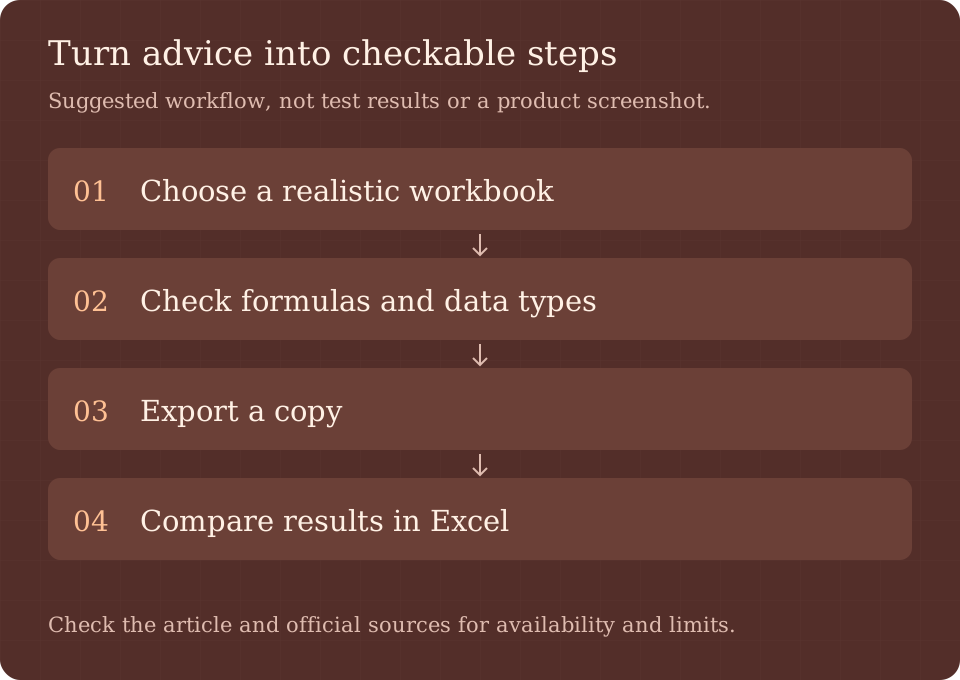
Prepare a workbook in your current editor with two sheets, a lookup, a conditional sum, a date calculation, a structured table and a chart. Add deliberate blank values and one expected error. Record both formulas and expected displayed values. For a transparent starting check, put 12.5, 7.5 and 10 into three cells; their SUM should be 30 and their AVERAGE should be 10. These are expected arithmetic results, not measurements from GridCraft.
Open the copy in GridCraft and compare outputs. Change an input and confirm dependent cells update. Expand the source table and check whether the chart and references follow. Export to a new XLSX, reopen it in Excel, force recalculation and compare again. A workbook that merely displays cached results has not yet demonstrated equivalent calculation.
Record numerical differences separately from visual differences. For money, use the rounding rule your business actually applies; do not silently accept a tolerance that could change a payment. For date-heavy work, test the workbook's date system and regional formatting with a known reference date.
Plan migration around dependencies
Make an inventory before switching: VBA macros, add-ins, Power Query, external workbooks, data connections, protected sheets and team approval routines. Do not infer support for one of these from the presence of familiar ribbon tabs. Consult current documentation and run a dedicated case for every critical dependency.
Start with one noncritical report, keep an export path and document who checks the result. If you automate through MCP, the local spreadsheet engine and the connected AI agent remain separate parts of the data flow. Agent access should be limited to the test folder until the workflow is understood. For document handoffs, see our WordCraft guide.
Frequently asked questions
Is GridCraft the ArtCraft Excel alternative?
Yes. The official project describes an Excel-style spreadsheet workflow. It is independently developed and is not Microsoft Excel.
Can GridCraft open XLSX?
The README calls XLSX its native format and lists many objects that round-trip. Alpha-stage limitations still make workbook-specific checks necessary.
Can I replace Excel for complex business models?
Do not assume so. Validate calculations, file exchange and every macro, connection or add-in dependency before changing the production workflow.
Is the software free?
The repository uses MIT OR Apache-2.0 and describes no subscription or license server for GridCraft. Support, migration and any separately connected services are different costs.
Primary sources
Read the official product page, README, roadmap and v0.5.0 release. Our ArtCraft repository map explains how these app-specific downloads relate to the wider project.